
Conference technology essentials: your 2026 event guide
TL;DR: Conference technology essentials include integrated audiovisual, management, streaming, and data capture systems for reliable event delivery. Ensuring venue infrastructure offers sufficient power, dedicated Ethernet, and onsite support supports successful hybrid and virtual conferences. Testing all systems and redundancies beforehand ensures higher reliability and attendee engagement.
TL;DR:
- Conference technology essentials include integrated audiovisual, management, streaming, and data capture systems for reliable event delivery. Ensuring venue infrastructure offers sufficient power, dedicated Ethernet, and onsite support supports successful hybrid and virtual conferences. Testing all systems and redundancies beforehand ensures higher reliability and attendee engagement.
Conference technology essentials are the integrated tools, systems, and infrastructure that event organisers rely on to deliver reliable, engaging, and well-managed conferences, whether in-person, virtual, or hybrid. The term covers everything from audiovisual equipment and event management software to streaming redundancy protocols and data capture platforms. Getting these foundations right determines whether attendees stay engaged or drop off, and whether your team operates with clarity or chaos. This guide covers the core components, production standards, and software features that define professional conference delivery in 2026, with a practical focus on venues and the infrastructure that supports them.
What are the conference technology essentials for modern events?
The core of any well-run conference rests on four technology pillars: event management software, audiovisual equipment, virtual or hybrid production infrastructure, and data capture systems. Each pillar supports the others. Weak audiovisual equipment undermines even the best software platform, and poor data capture wastes the engagement your technology generates.
Conference room technology has evolved significantly, and organisers who treat these pillars as separate purchases rather than an integrated system consistently underperform. The most effective approach treats technology as a single connected ecosystem, not a collection of individual purchases.
Audiovisual equipment for events
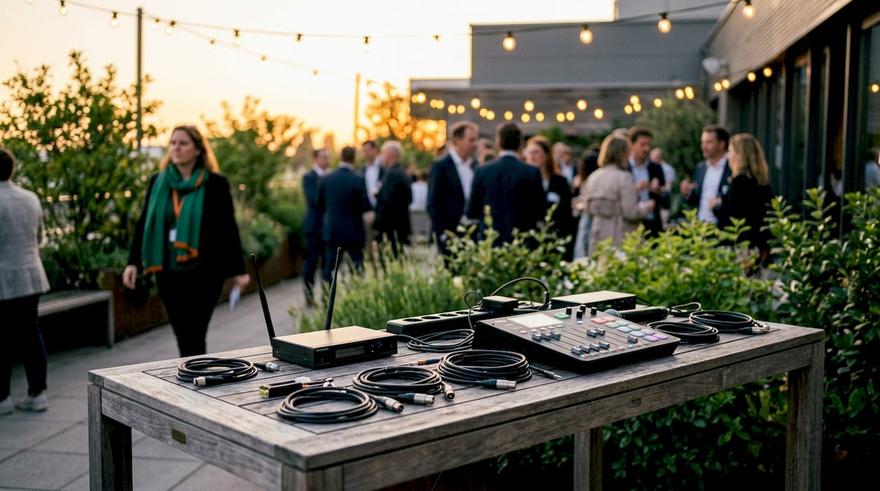
Audiovisual equipment forms the physical backbone of any conference. The minimum professional standard includes:
- Microphones: Lapel, handheld, and boundary microphones for different session formats
- Cameras: At least one primary and one backup camera for hybrid or recorded sessions
- Displays: High-resolution screens or projectors sized correctly for the room dimensions
- Speakers: Distributed speaker arrays to cover the full audience area without dead zones
- Mixing desk: A dedicated audio mixer operated by a qualified technician
Poor audio is the single most common reason attendees disengage from a session. A delegate who cannot hear clearly will not stay attentive, regardless of how strong the content is.
Data capture and lead management
Smart badge technology with real-time CRM syncing has replaced traditional business card collection as the standard for lead management at professional conferences. Systems of this type have processed over 3.5 million visitors and generated 1 million qualified leads as of mid-2026. That scale reflects how central data capture has become to measuring conference return on investment.
Pro Tip: Set up your CRM integration before the event, not during. Testing the sync between badge scanners and your database on-site for the first time is a reliable way to lose data.
Integrated event management software
Single-platform event software integrates registration, ticketing, check-in, engagement tools, and post-event analytics into one system. Platforms of this type have managed over 3,500 events and 1 million attendees as of Q2 2026. That level of adoption confirms that fragmented, multi-tool approaches are being replaced by unified platforms that give organisers a single source of truth.
How do you ensure reliability in hybrid and virtual conferences?
Reliability in hybrid and virtual conferences is not a feature you select from a dropdown menu. It is an engineering discipline built on redundancy, physical connectivity, and pre-event testing. Organisers who skip this discipline pay for it during the live broadcast.
The four steps to broadcast-grade reliability are:
- Install a 1:1 encoder redundancy system. A secondary encoder runs in parallel to the primary, providing zero-frame-loss failover if the primary unit fails. This is the professional production standard for live streaming in 2026.
- Use hardwired Ethernet as your primary connection. Dedicated Ethernet lines are the only reliable primary connections for live streaming. Wi-Fi is too unstable for broadcast use and should serve as a backup only.
- Test your failover physically. Disconnect the primary encoder cable during a rehearsal and confirm the backup takes over without interruption. A failover system you have never tested is not a failover system.
- Use a unified engagement platform. Splitting attendees across multiple tools for Q&A, polling, and chat creates platform-hopping fatigue. A single engagement platform embeds all interaction tools in one place and keeps virtual attendees focused.
“Organisers focus too much on the flashy features of streaming platforms rather than the fundamental broadcast reliability and redundancy that actually determine success. The platform’s pipe, its streaming foundation, is the critical differentiator.”
“Organisers focus too much on the flashy features of streaming platforms rather than the fundamental broadcast reliability and redundancy that actually determine success. The platform’s pipe, its streaming foundation, is the critical differentiator.”
Pro Tip: Book a full technical rehearsal at the venue at least 48 hours before your event. Run every failover scenario, not just the ones you think are likely.
For a deeper look at the operational differences between formats, the Jigsawconferences guide on hybrid vs virtual events covers the strategic and technical trade-offs in detail.
What event management software features are essential for 2026?
The best conference software in 2026 does four things well: it centralises all event data, supports AI-assisted planning, operates in real time, and protects attendee data to recognised security standards. Platforms that do only one or two of these well create gaps that organisers fill with spreadsheets and workarounds.
Static planning documents cause operational chaos at live events. Live connected workspaces that sync site maps, schedules, and equipment lists instantly across all team members replace the confusion of outdated PDFs and email chains. The shift from static documents to live digital workspaces is one of the most practical improvements available to event teams right now.
AI-powered event tools act as decision-support systems, assisting with planning, communications, and attendee interaction. AI augments planners rather than replacing them, and it requires trusted, clean data to function correctly. An AI assistant fed inaccurate registration data will produce inaccurate outputs.
| Feature category | What to look for | Why it matters |
|---|---|---|
| Registration and ticketing | Single-platform check-in with real-time capacity tracking | Eliminates queues and manual reconciliation |
| Engagement tools | Live polling, Q&A, and chat embedded in one interface | Reduces platform-hopping fatigue for attendees |
| Analytics and reporting | Post-event dashboards with session-level attendance data | Measures ROI and informs future planning |
| AI planning support | Automated communications and scheduling assistance | Frees planners to focus on high-value decisions |
| Data security | GDPR compliance and recognised privacy certifications | Protects attendee data and reduces legal exposure |
Organisers planning complex programmes benefit from dedicated event scheduling tools that integrate directly with registration and engagement platforms. The connection between scheduling and attendee data is where AI assistance delivers the most visible time savings.
How does venue technology infrastructure affect conference success?
A venue’s technology infrastructure either supports your conference setup or fights against it. The best event tech tools cannot compensate for a venue with inadequate power supply, unreliable connectivity, or no onsite technical support.
Key infrastructure requirements to confirm with any venue before booking:
- Power capacity with 20% headroom. Organisers must reserve at least 20% extra power capacity beyond their calculated AV load. This headroom prevents circuit failures during peak use, such as when all screens, lighting rigs, and streaming encoders run simultaneously.
- Dedicated Ethernet drops. Confirm the venue provides dedicated, hardwired Ethernet lines to the stage and production area. Shared Wi-Fi networks in conference venues carry too much unpredictable traffic for reliable streaming.
- Onsite AV technician access. A venue with resident AV technicians reduces response time when equipment fails. Remote support is not adequate for live production issues.
- Integrated AV systems. Venues with built-in screens, speaker arrays, and lighting rigs reduce the volume of hired equipment and the associated setup time.
Venue technology requirements vary significantly between conference centres, hotels, and purpose-built event spaces. A hotel meeting room and a dedicated conference centre may have identical capacities but very different infrastructure capabilities. Always request a full technical specification sheet from the venue before confirming a booking.
Virtual session design also interacts directly with venue infrastructure. Virtual audience sessions should run for 20–45 minutes with active interaction every 10–15 minutes to maintain engagement and reduce drop-off. Long sessions without structured breaks cause attendance to fall sharply online. The venue’s streaming infrastructure must support the interaction tools that make those engagement intervals possible.
Key takeaways
Effective conference technology rests on integrated software, reliable audiovisual infrastructure, broadcast-grade redundancy, and a venue with the power and connectivity to support all three.
| Point | Details |
|---|---|
| Integrate, do not fragment | Use a single platform for registration, engagement, and analytics to maintain one source of truth. |
| Redundancy is non-negotiable | Run a parallel backup encoder and test physical failover before every live broadcast. |
| Hardwired beats wireless | Dedicated Ethernet lines are the only reliable primary connection for live streaming at any venue. |
| Venue infrastructure matters | Confirm 20% power headroom and dedicated network drops before booking any conference venue. |
| Design for virtual attention | Limit virtual sessions to 20–45 minutes and build in active interaction every 10–15 minutes. |
What I have learned from two decades of conference technology decisions
The most common mistake I see event professionals make is chasing features rather than foundations. A platform with a beautiful interface and a weak streaming backbone will fail you in front of your audience. A platform with a plain interface and rock-solid redundancy will not.
The second mistake is treating virtual attendees as a secondary audience. They are not. In a hybrid event, the virtual audience is often larger than the room. Designing your technology stack around the in-person experience and bolting on a streaming link at the end produces exactly the disengaged virtual audience that gives hybrid events a bad reputation.
The third mistake is underestimating venue infrastructure as a technology variable. I have seen technically excellent production teams arrive at a venue with insufficient power circuits and no dedicated network drops, and watched the entire setup unravel. Technology choices and venue choices are the same decision. They must be made together.
The practical lesson from all of this is simple. Test everything. Test your failover. Test your power load. Test your engagement tools with real users before the event. The teams that do this consistently deliver better conferences than the teams with bigger budgets who do not.
— Jigsaw
— Jigsaw
How Jigsawconferences supports your technology-driven events
Jigsawconferences has been matching corporate clients with the right venues since 2003, and technology infrastructure is now a core part of every venue assessment. Whether you are planning a hybrid conference or a large-scale in-person event, the team at Jigsawconferences identifies venues with the power capacity, dedicated connectivity, and onsite AV support your production requires. The service is free to use, and the team’s buying power secures competitive rates across the UK and beyond. Contact Jigsawconferences to discuss your next event and get matched with venues built for modern conference technology.
FAQ
What are conference technology essentials?
Conference technology essentials are the integrated tools and systems that enable reliable, engaging event delivery. They include audiovisual equipment, event management software, streaming infrastructure, and data capture platforms.
What audiovisual equipment do I need for a professional conference?
The minimum professional standard includes lapel and handheld microphones, primary and backup cameras, high-resolution displays, a distributed speaker system, and a dedicated audio mixer operated by a qualified technician.
Why is hardwired Ethernet better than Wi-Fi for live streaming?
Dedicated Ethernet lines provide stable, predictable bandwidth that Wi-Fi cannot match in a busy conference environment. Wi-Fi should serve as a backup connection only, never as the primary link for live streaming.
How much power capacity should a conference venue provide?
Venues should provide at least 20% more power capacity than your calculated AV load. This headroom prevents circuit failures when all screens, lighting, and streaming equipment run simultaneously at peak demand.
How long should virtual conference sessions be?
Virtual sessions should run for 20–45 minutes with structured interaction every 10–15 minutes. Sessions longer than this without engagement breaks cause attendance to drop sharply among online participants.
Jigsaw Conferences Editorial Team
Verified AuthorThe Jigsaw Conferences Editorial Team comprises venue finding experts with over 20 years of combined experience in the events and hospitality industry. Our team includes certified meeting professionals (CMP), venue sourcing specialists, and industry analysts who provide authoritative insights on venue selection, event planning, and corporate accommodation.